
This guide will show how to register a Safeguarding Officer for your league using MyCOMET.
MyCOMET can be access through the following link -https://comet.faw.cymru/mycomet/
Unlike most league official roles, the Safeguarding Officer role needs to be treated differently, as it has additional requirements such as Safeguarding Award and DBS.
As a result, this is a STAFF Role on COMET. It is not currently possible to add 'STAFF' members to a league profile, so therefore as a workaround to ensure that all is tracked correctly, each league will have a separate club within their league page, that they should use to register their Safeguarding Officer.
The process is the exact same as a club registering a safeguarding officer.
Registering a Safeguarding Officer
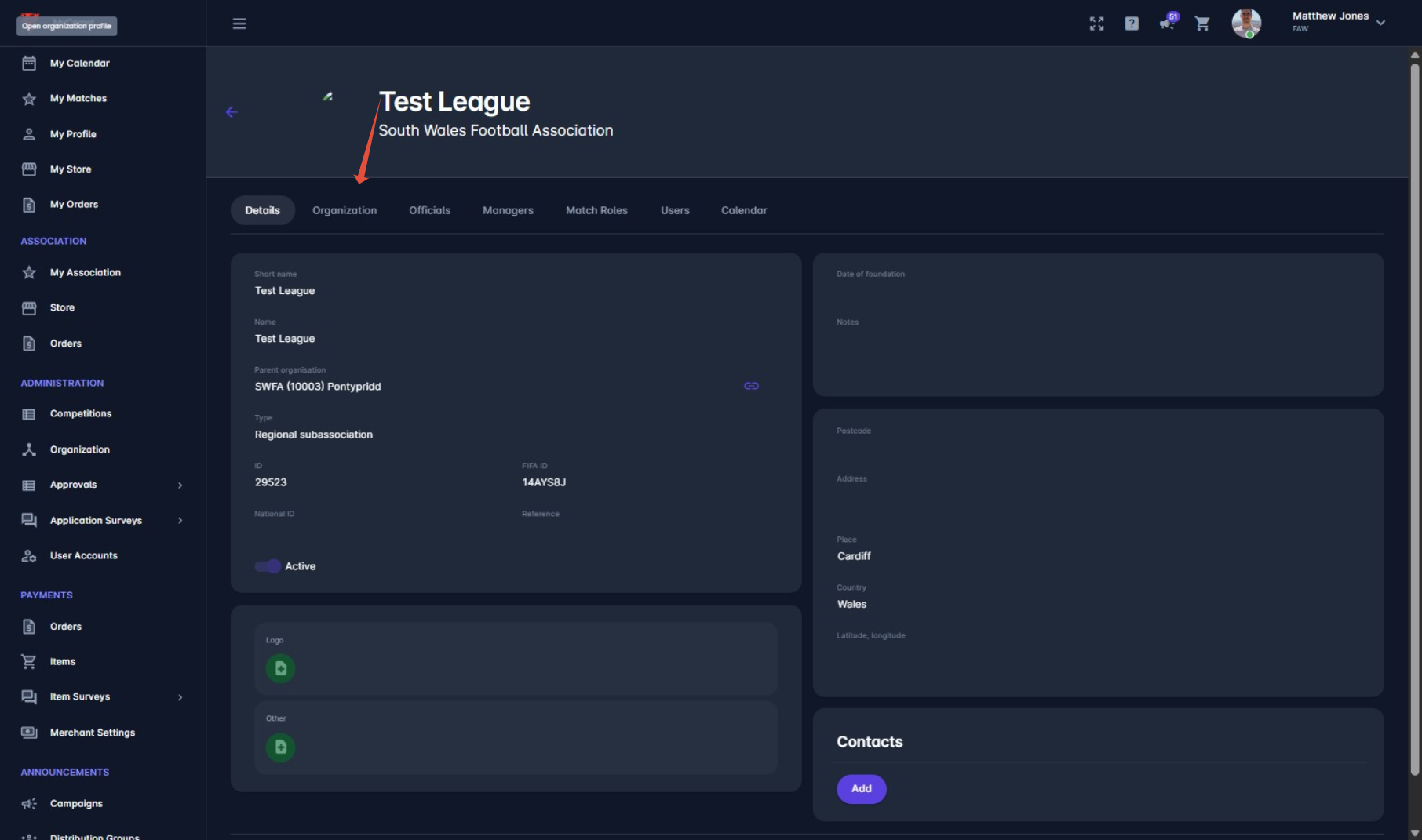
1. Find your league page, and press 'organisation'
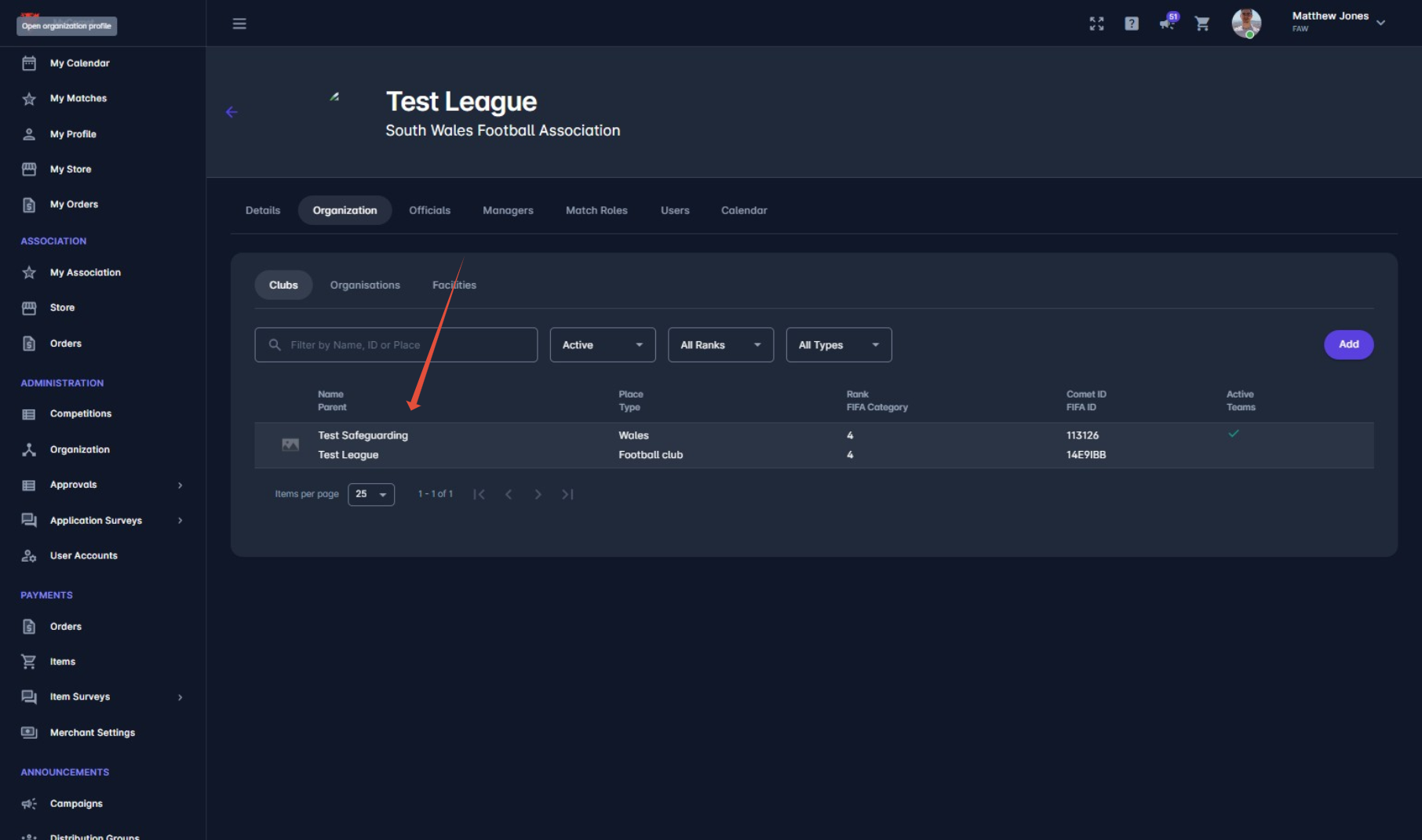
You should then have a club under your league, related to safeguarding. Click on this.
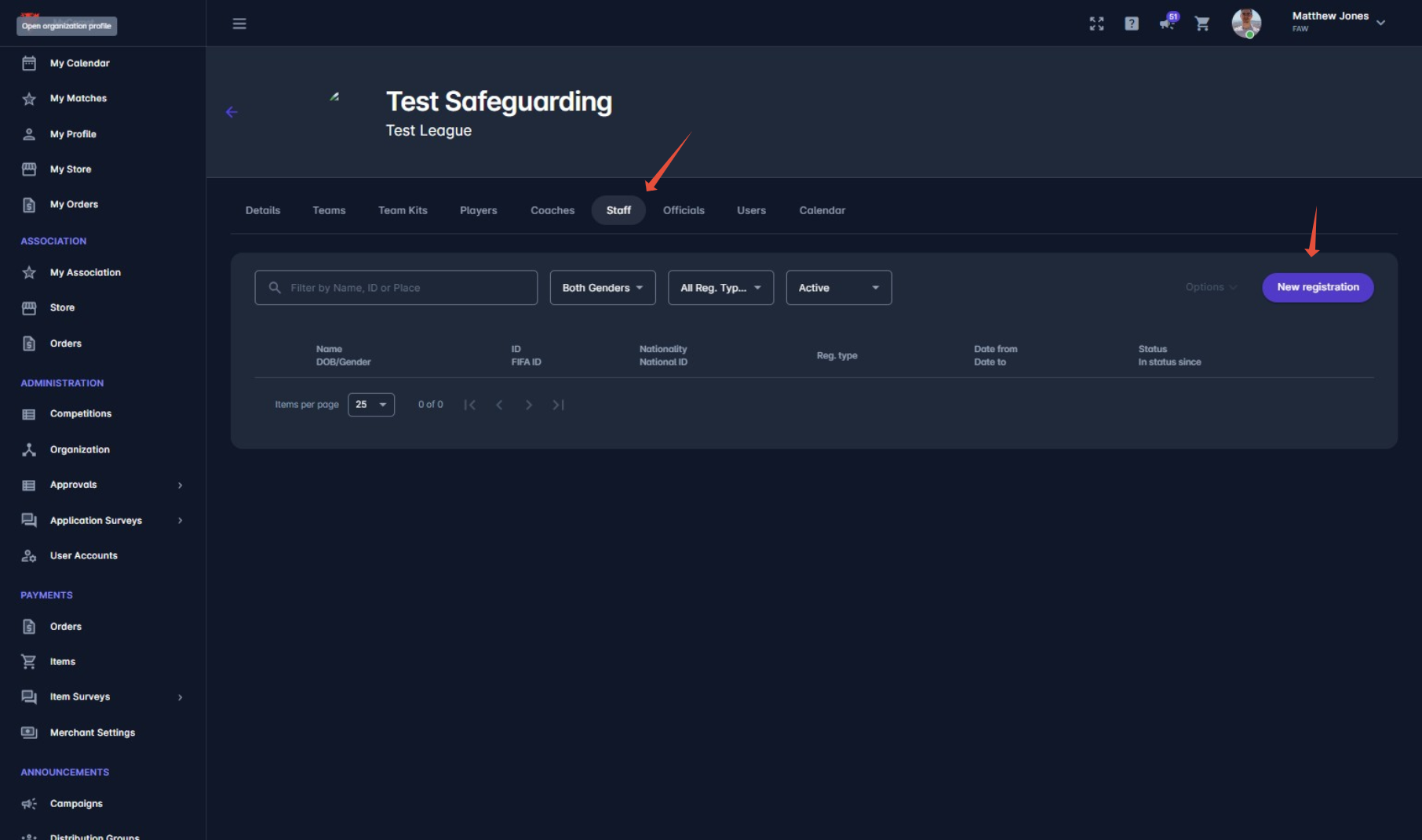
2. Press 'Staff' and 'New Registration'
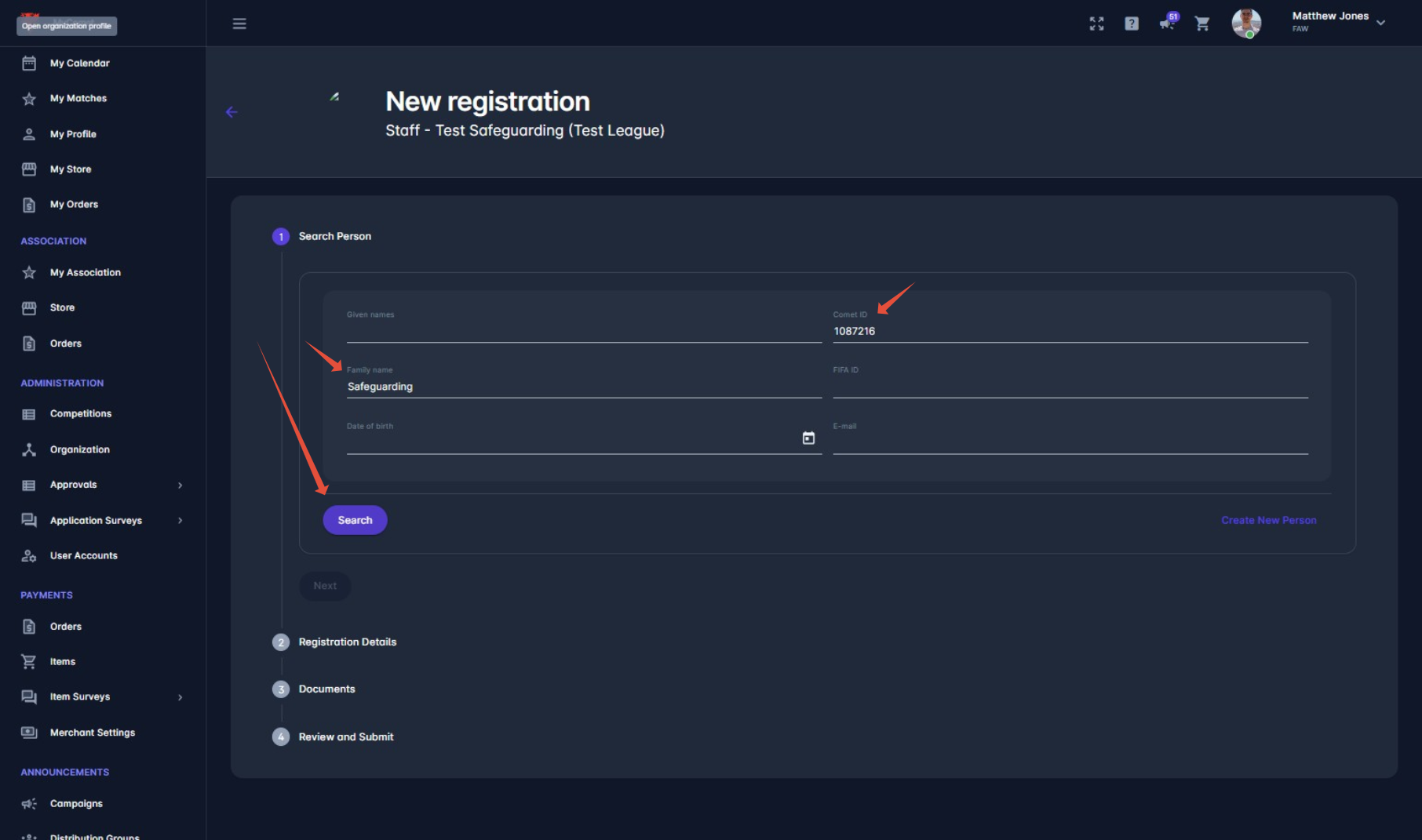
3. Input person details and search
4. Click on correct person
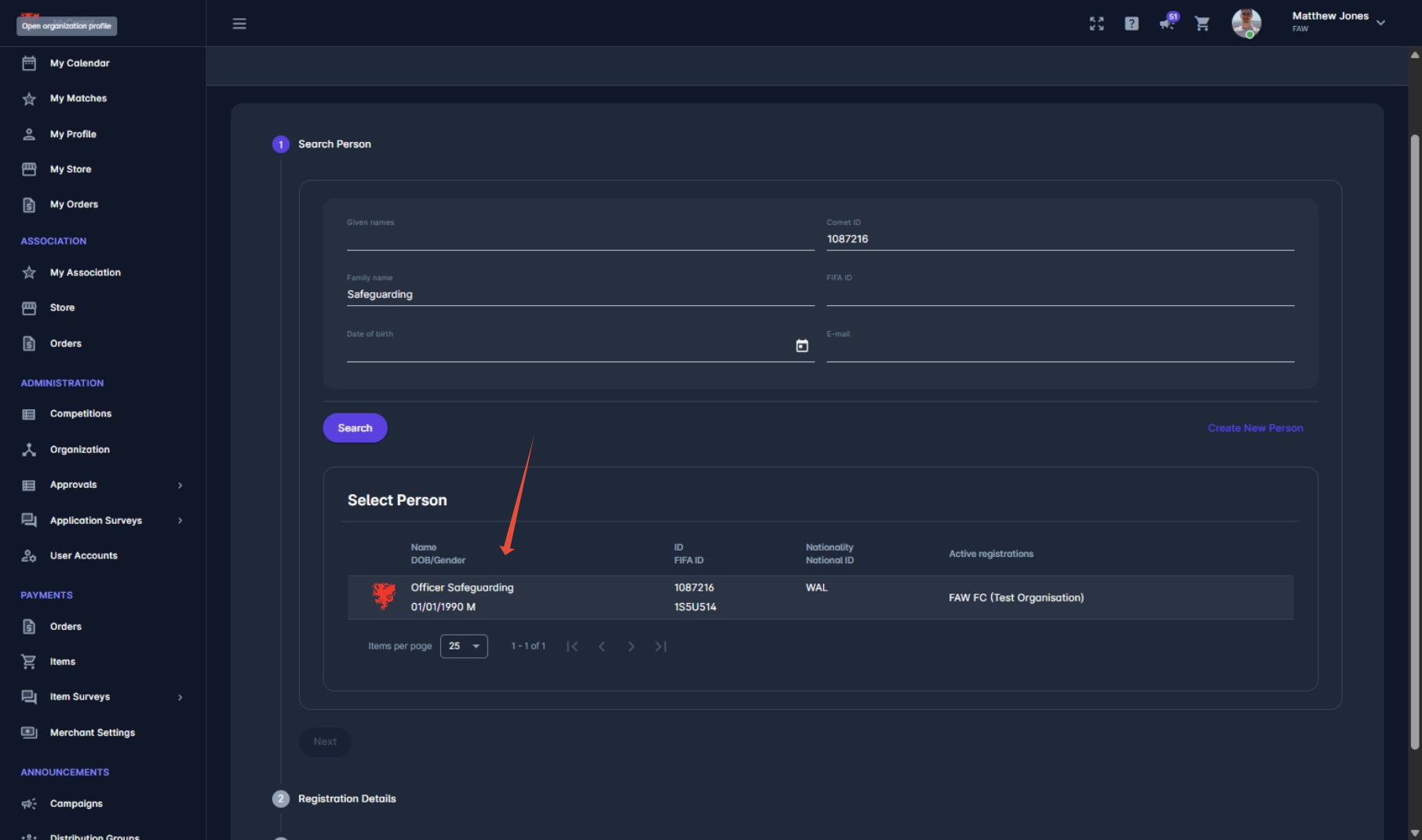
5. Press 'Next'
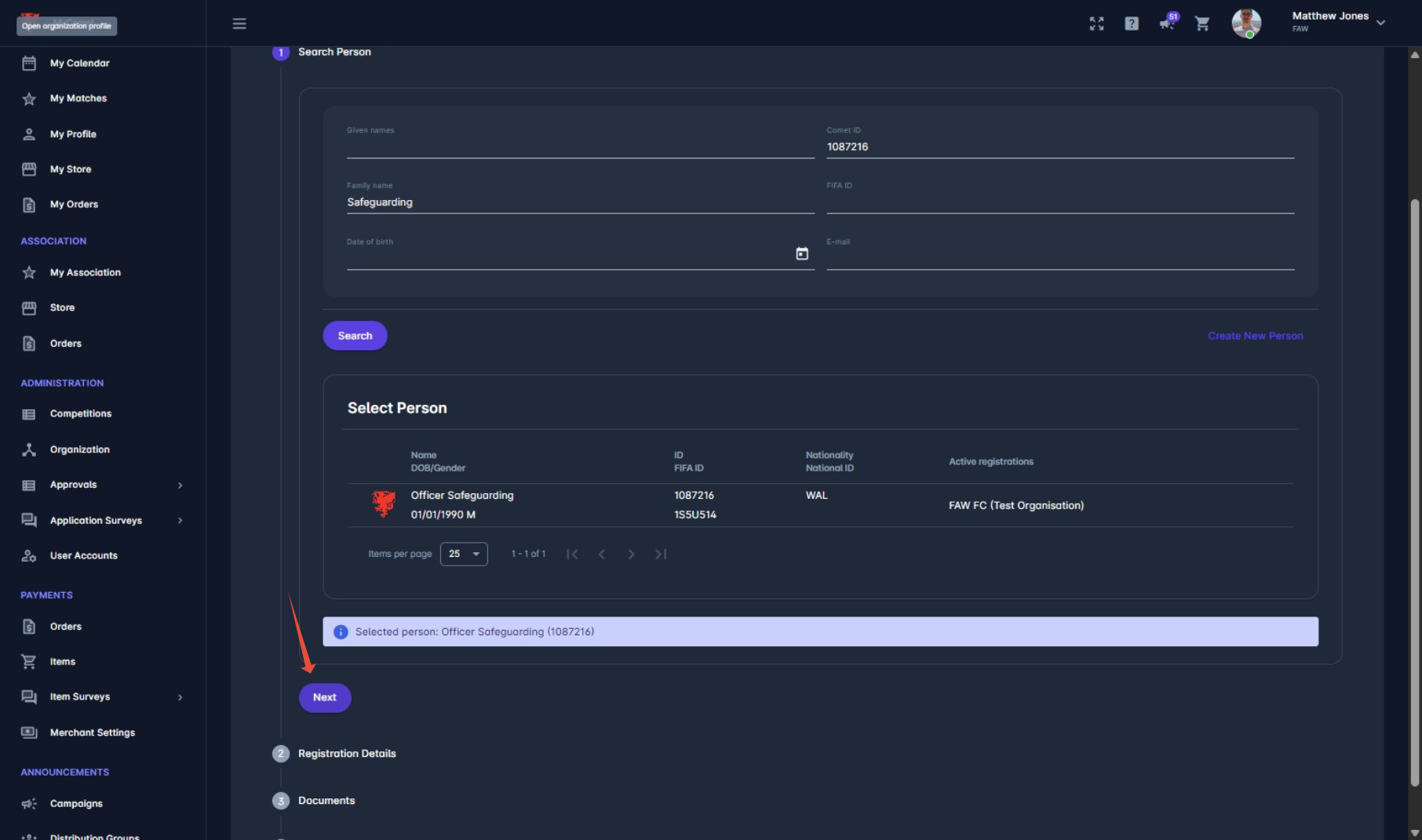
6. Select 'Registration Type' and 'Save'
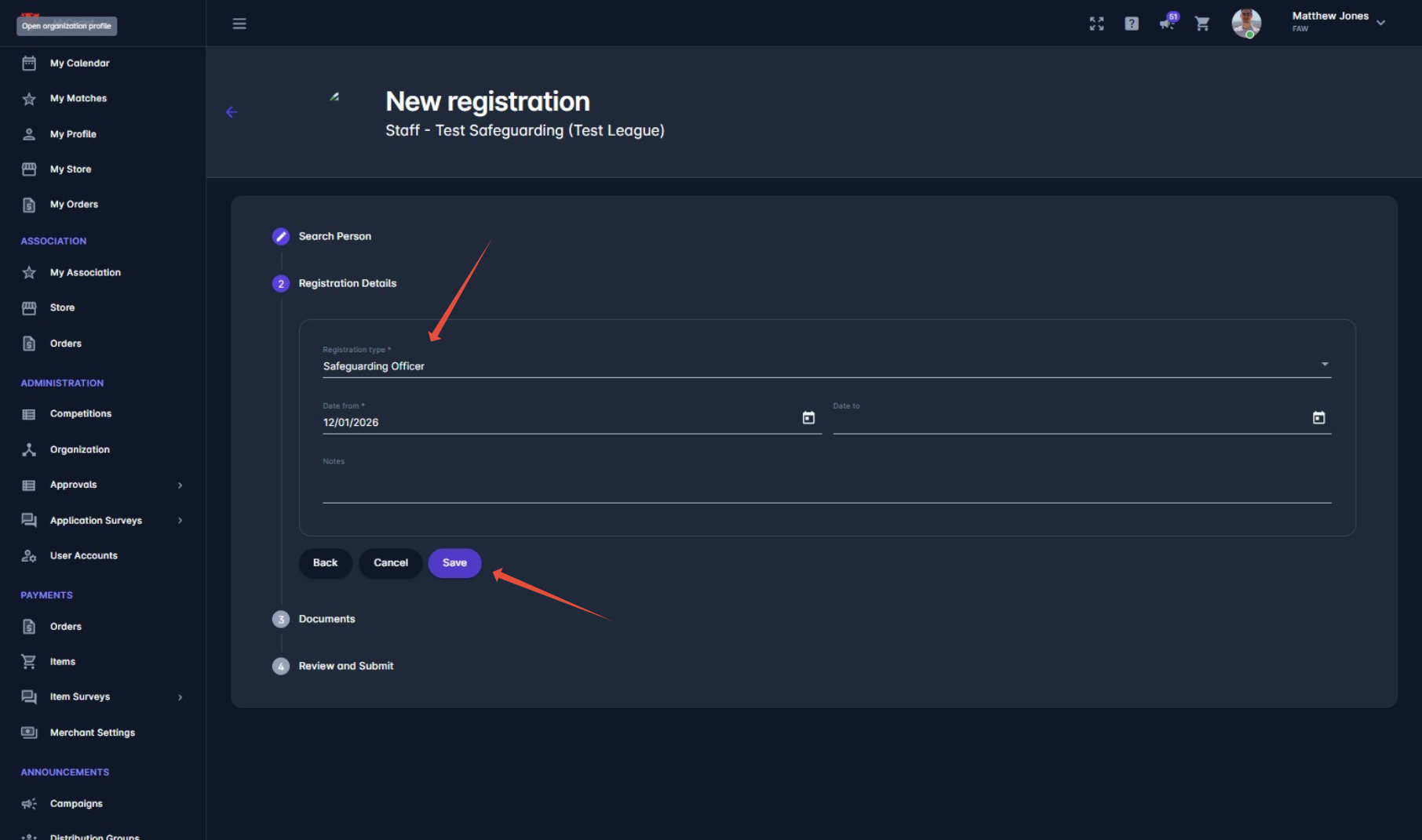
Press 'Save'
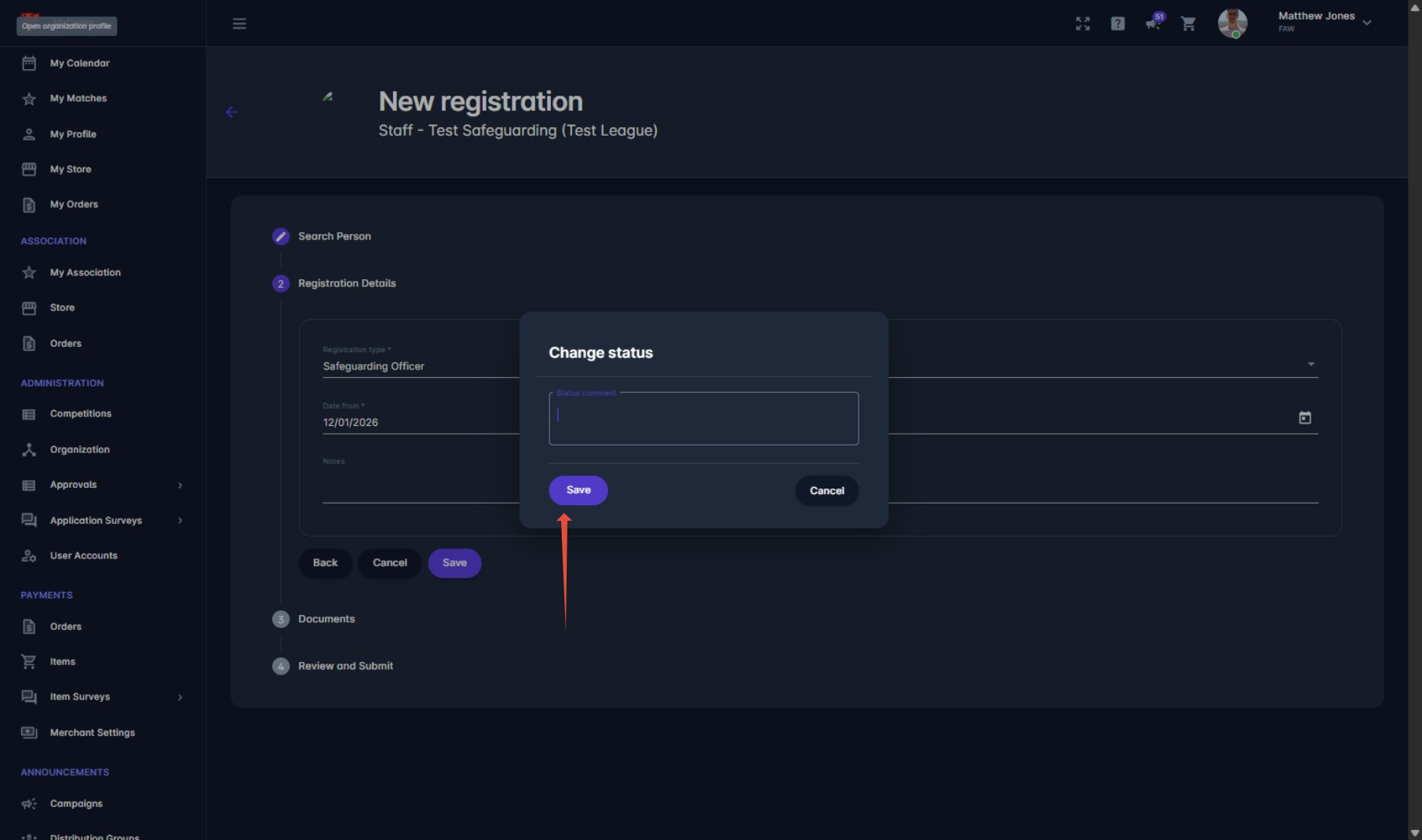
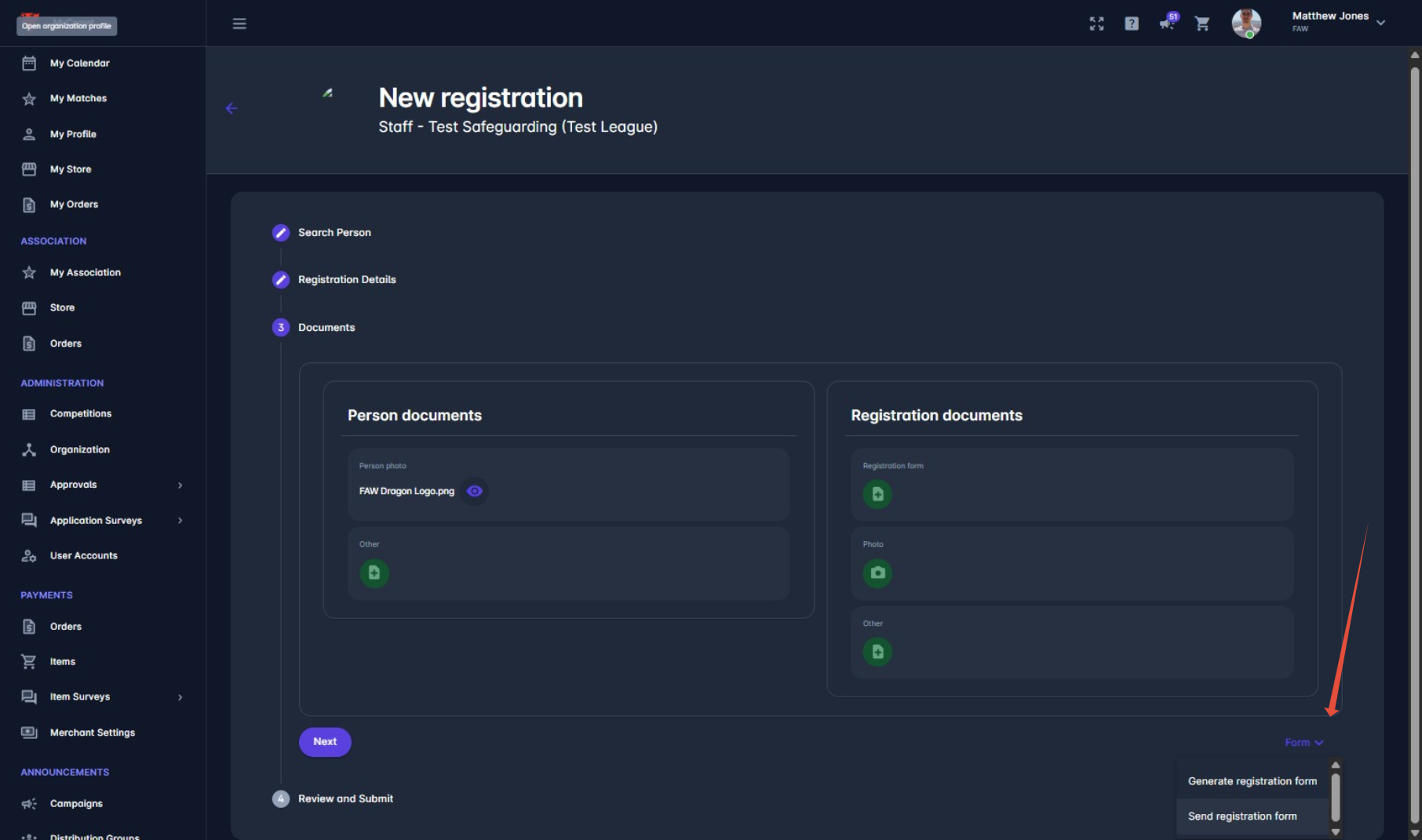
7. Send or Generate Registration Form
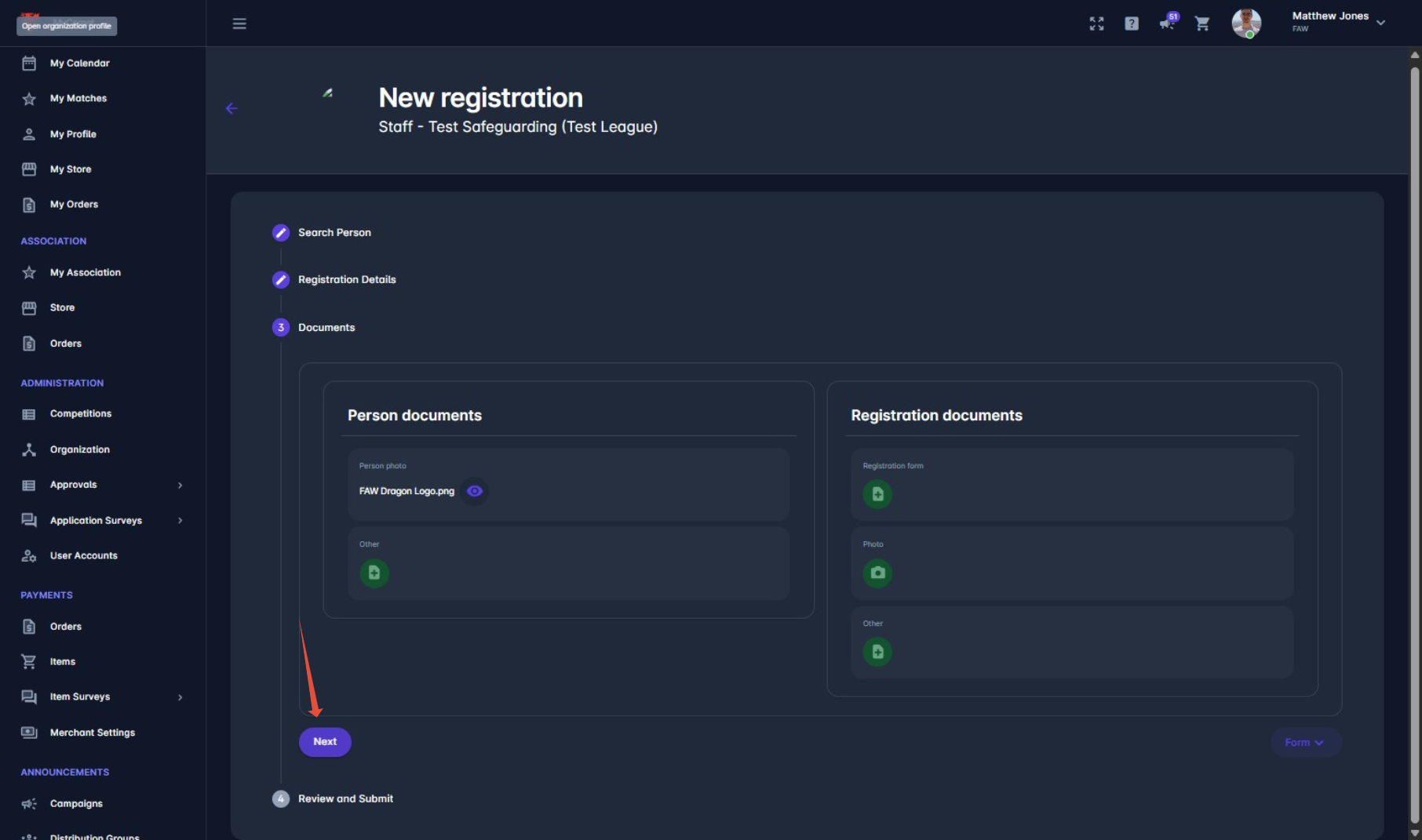
8. Press 'Next'
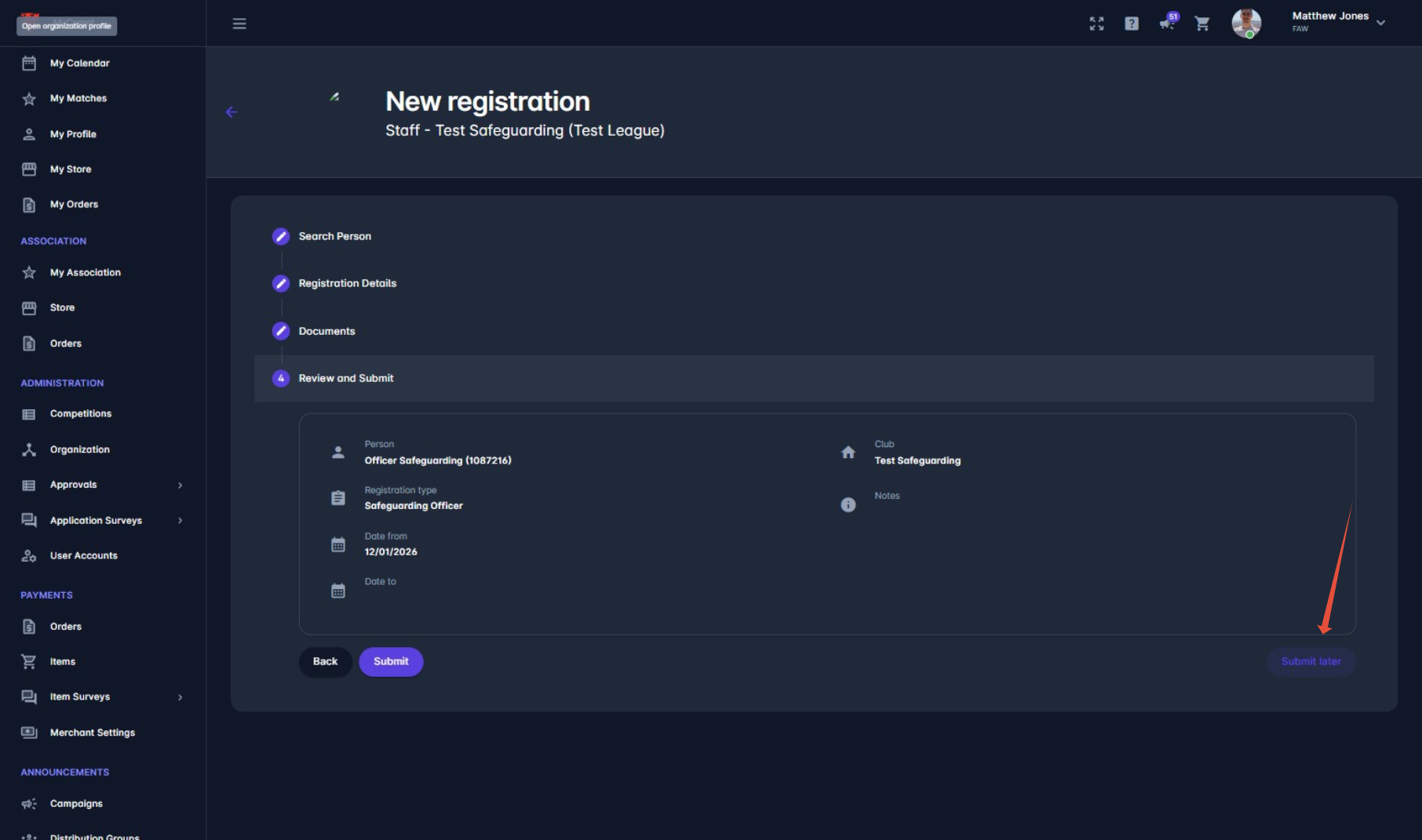
9. Press 'Submit Later'
Adding the relevant awards
1. Tick the box of the relevant person, then 'options' and 'add licence'

2. Fill in relevant details and upload copy of award.
Please note, you will not be able to upload a DBS to COMET. This will need to be done by the FAW.

Submitting the registration
1. Click on correct person

2. Select Registration Form in Documents then 'Choose'


You will then need to select the correct document from your files.
3. Change Status

Was this article helpful?
That’s Great!
Thank you for your feedback
Sorry! We couldn't be helpful
Thank you for your feedback
Feedback sent
We appreciate your effort and will try to fix the article