
The following guide explains how to start the application for FAW Tier 3 Licensing. The first step is to purchase the relevant product on MyCOMET.
Purchasing Tier 3 Product
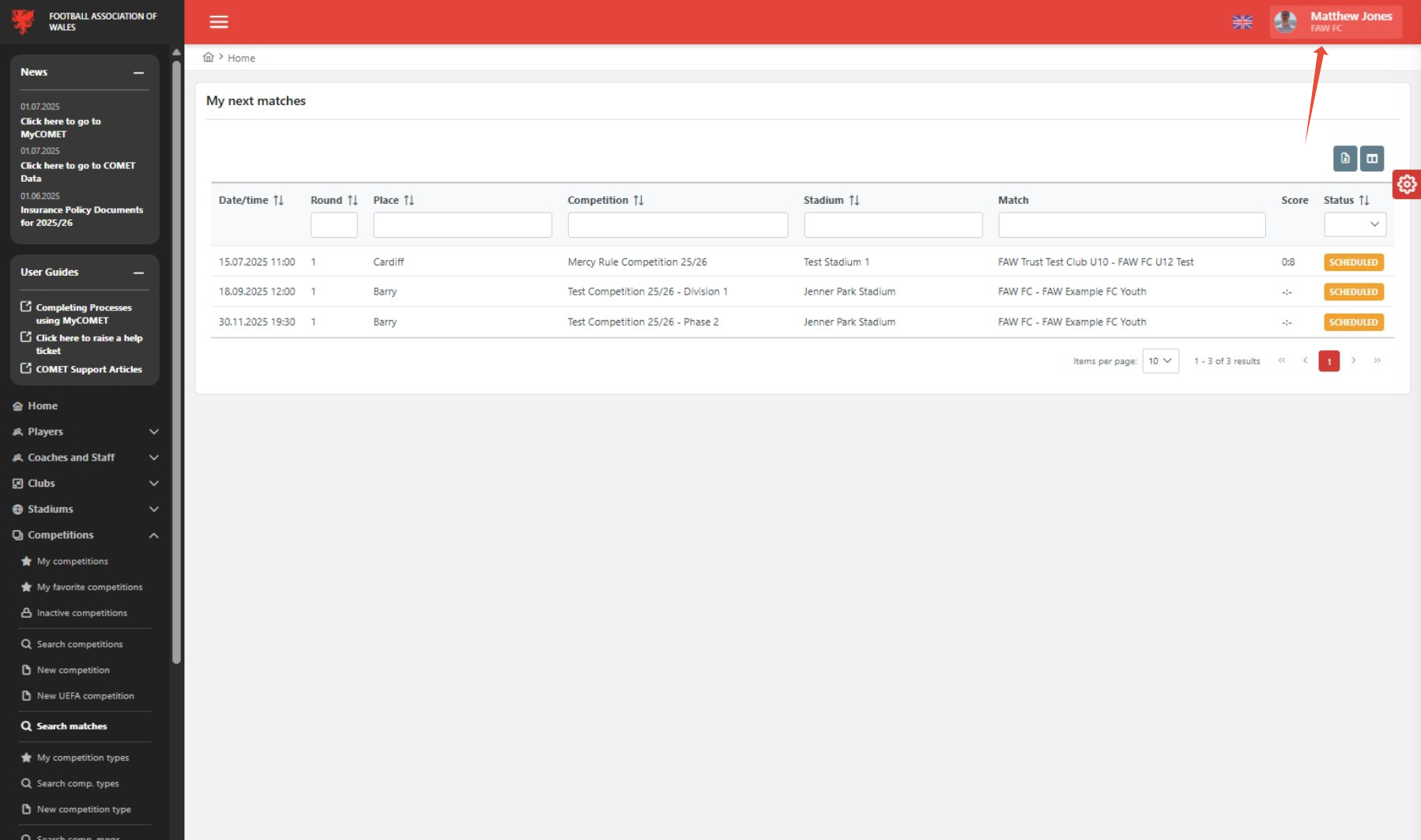
1. Click on Name in top right of page (you can skip this step if you are already on MyCOMET)
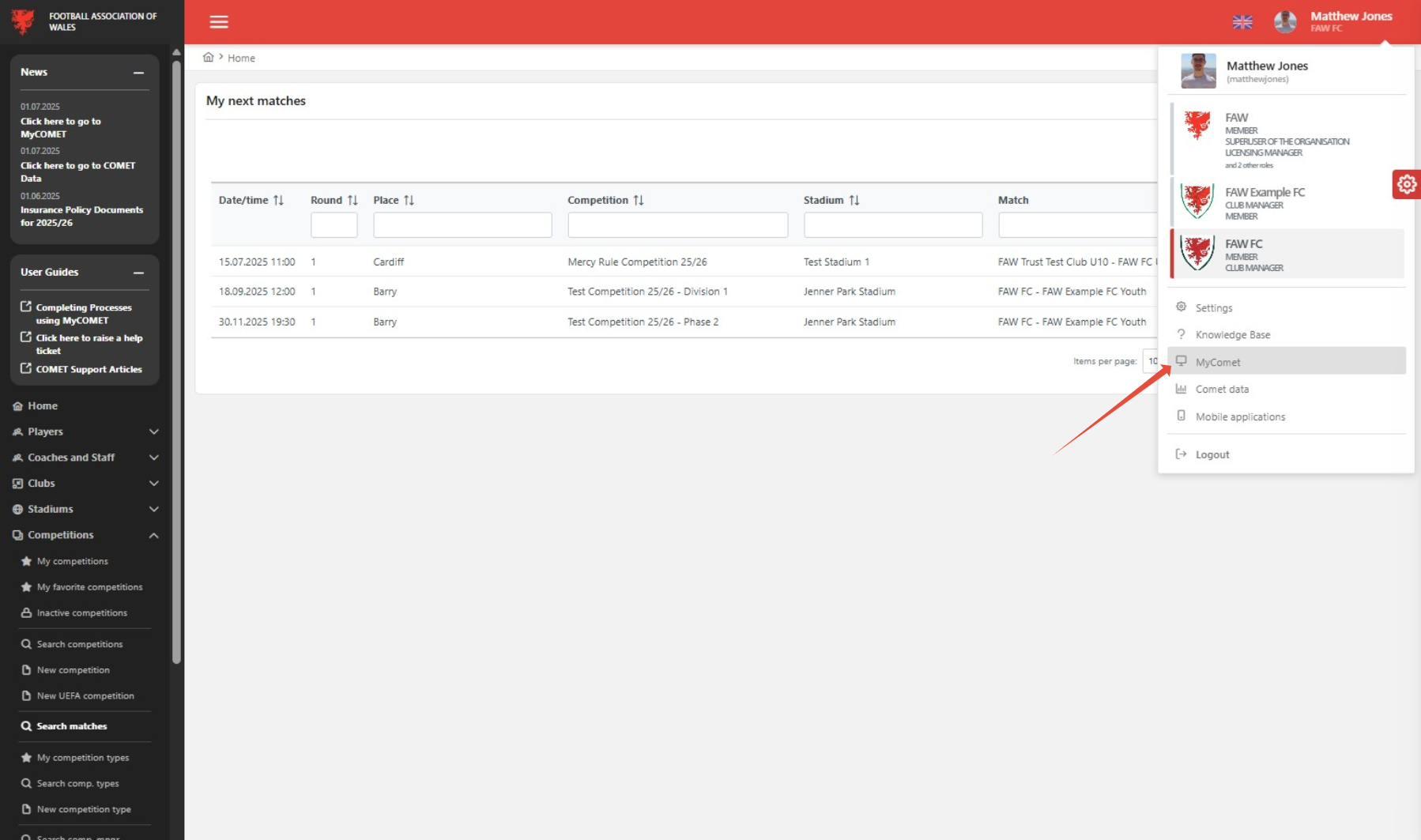
2. Click on MyCOMET (you can skip this step if you are already on MyCOMET)
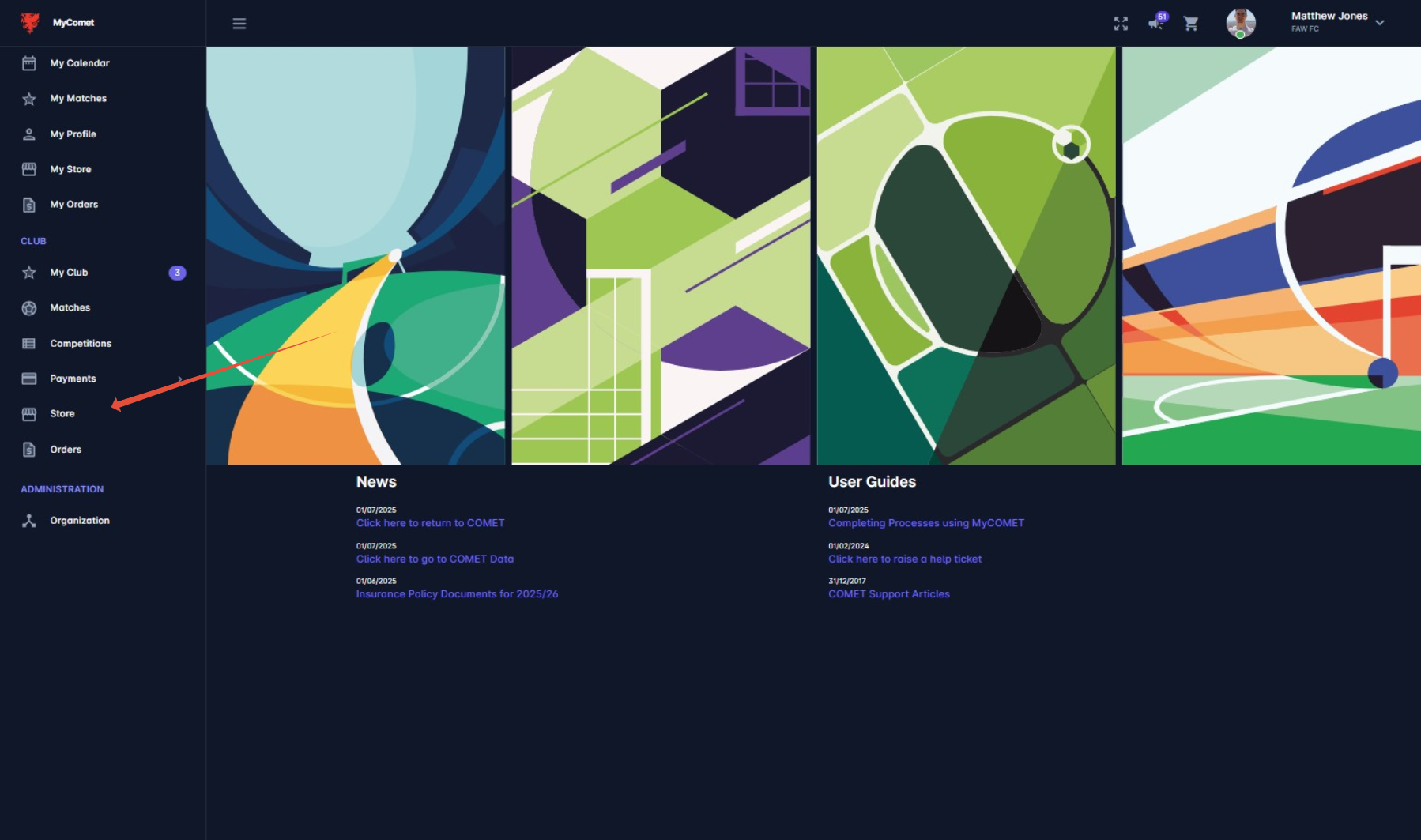
3. Click 'Store'
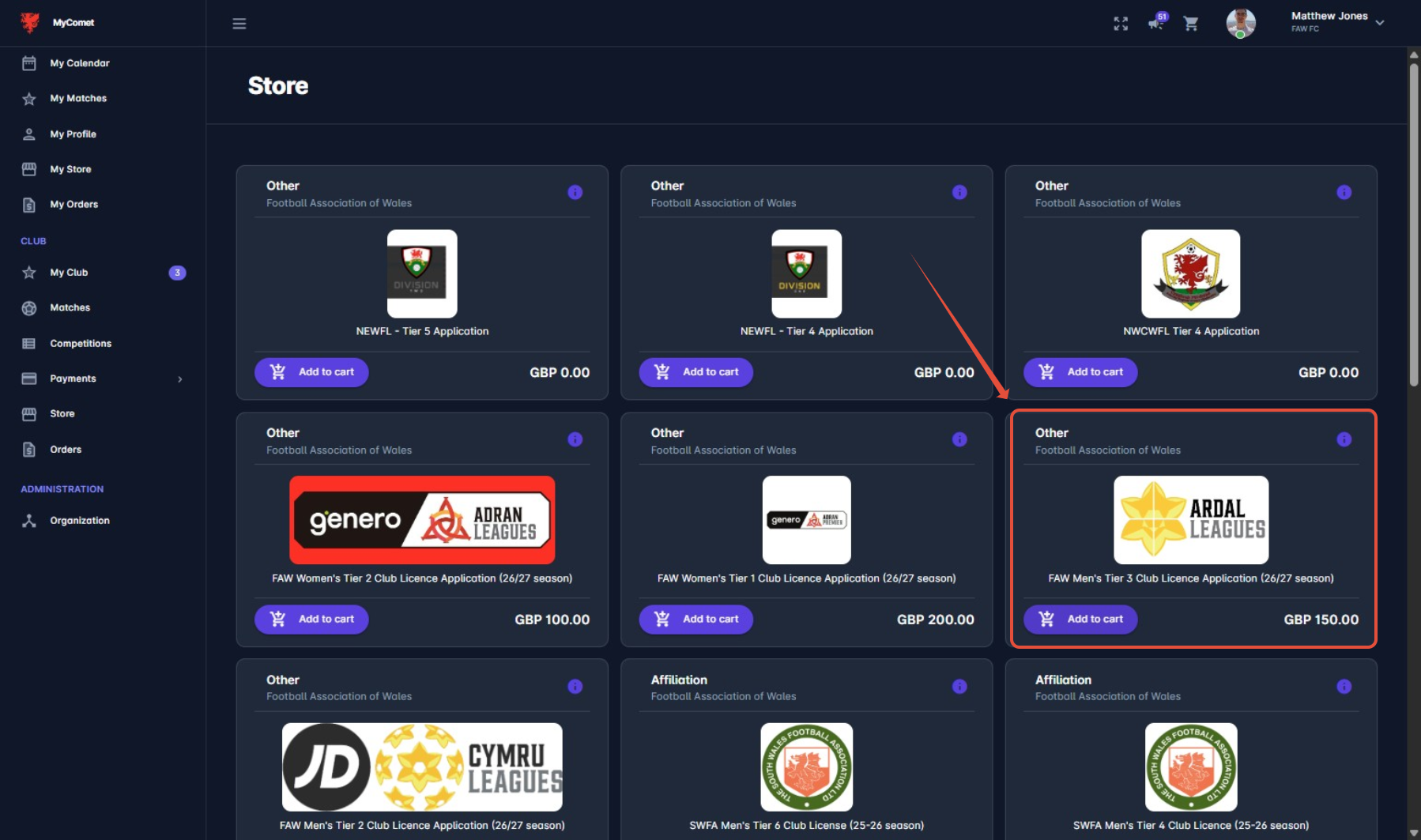
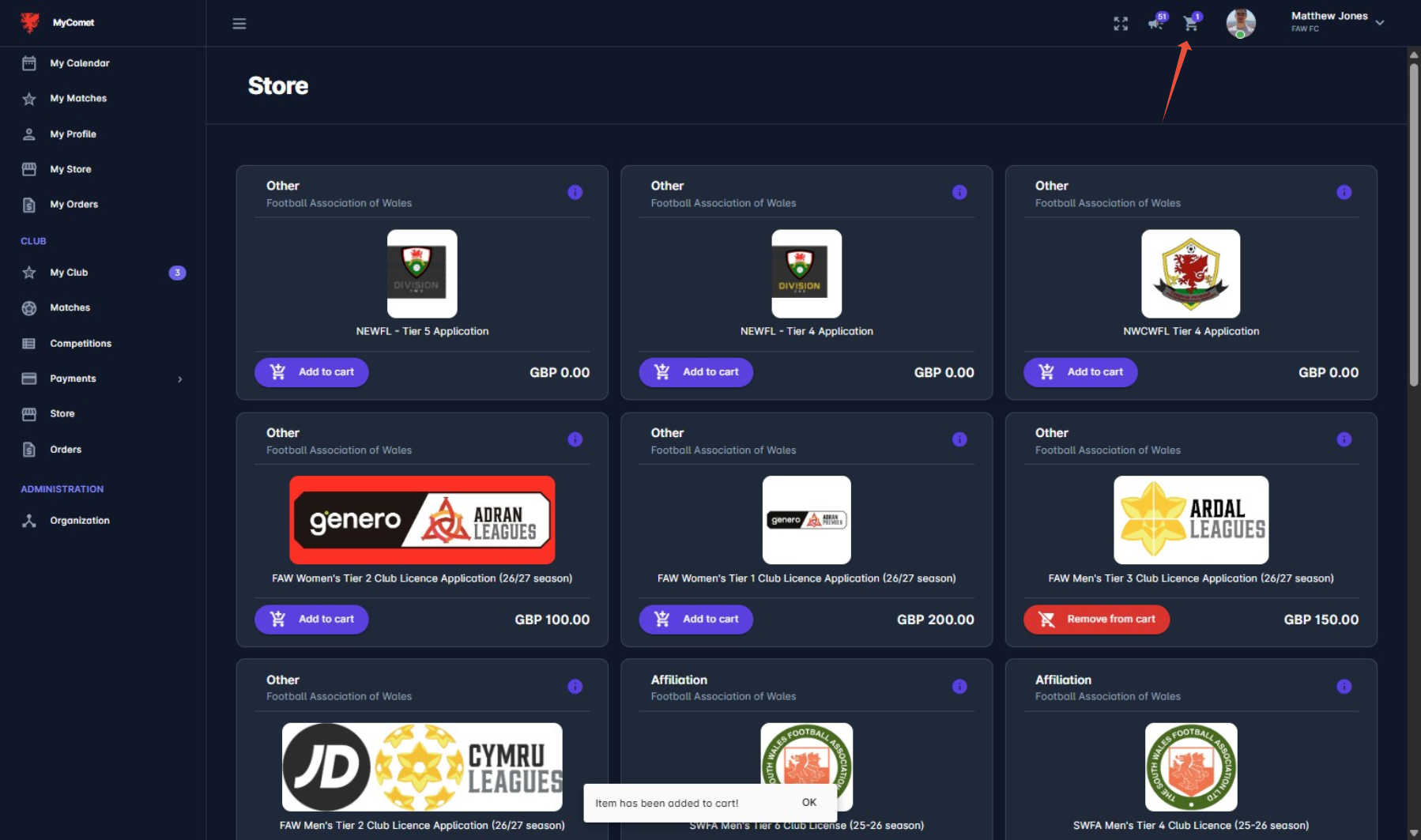
4. Find the product and 'add to cart'
5. Once added to cart, press the basket to move to checkout
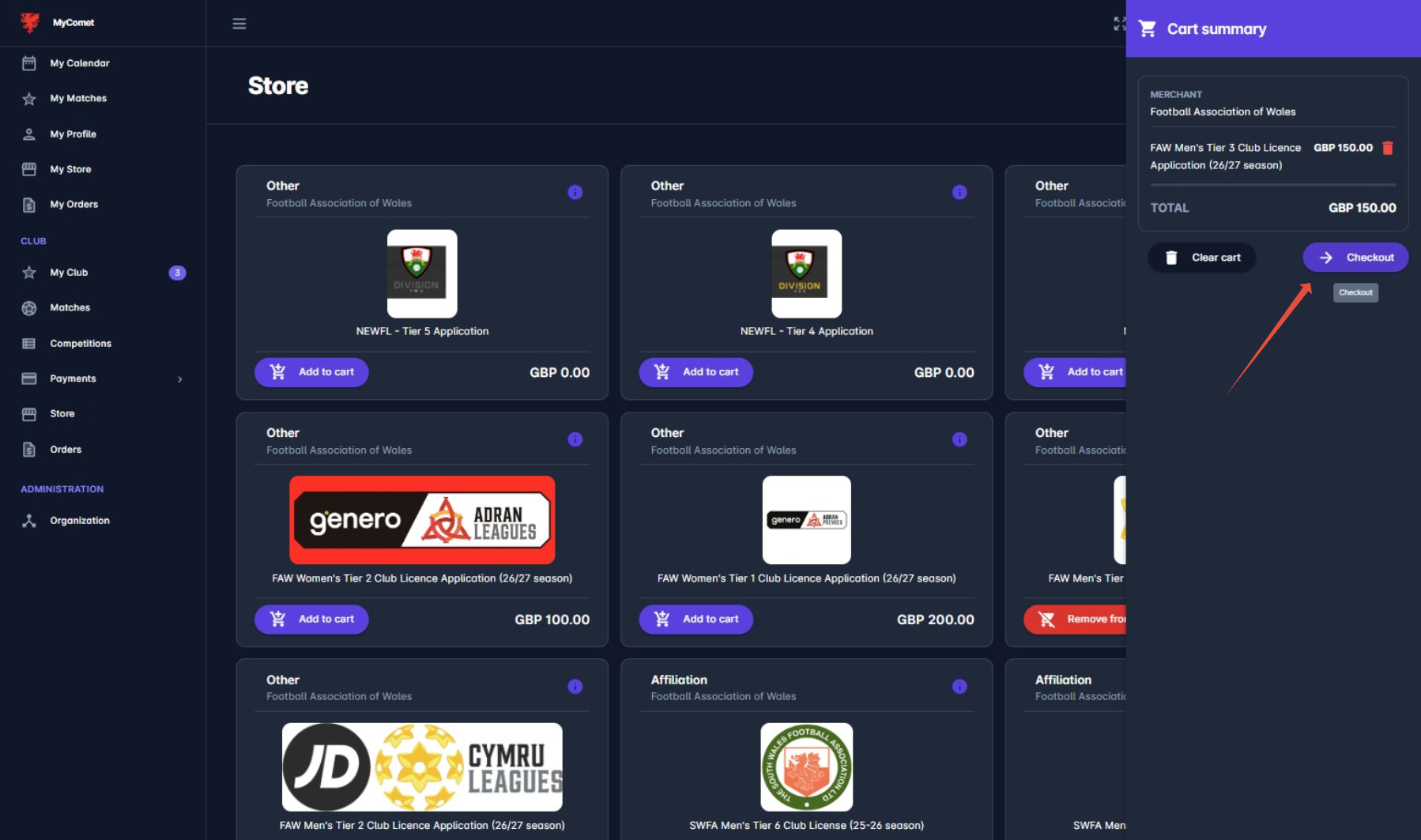
6. Click 'Checkout'
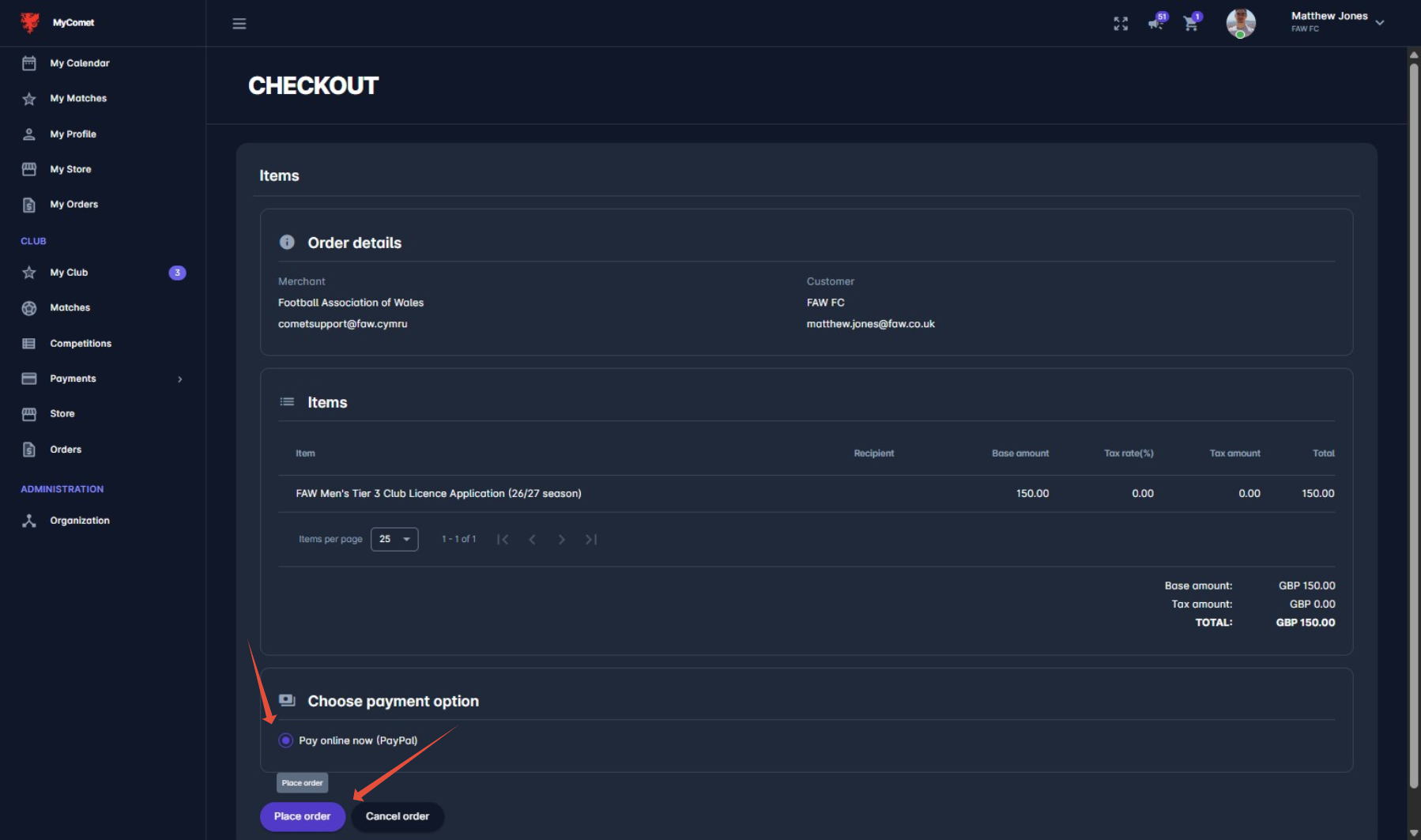
8. Follow through the steps and complete payment
Was this article helpful?
That’s Great!
Thank you for your feedback
Sorry! We couldn't be helpful
Thank you for your feedback
Feedback sent
We appreciate your effort and will try to fix the article