
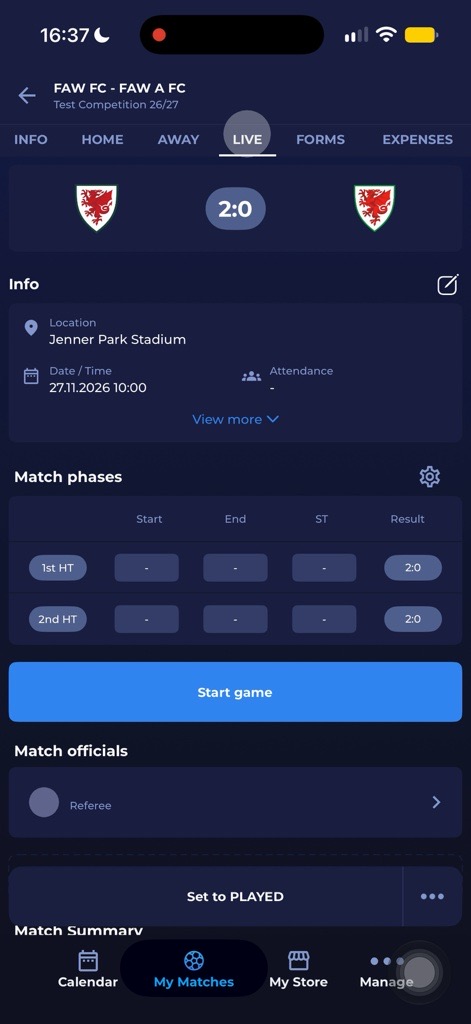
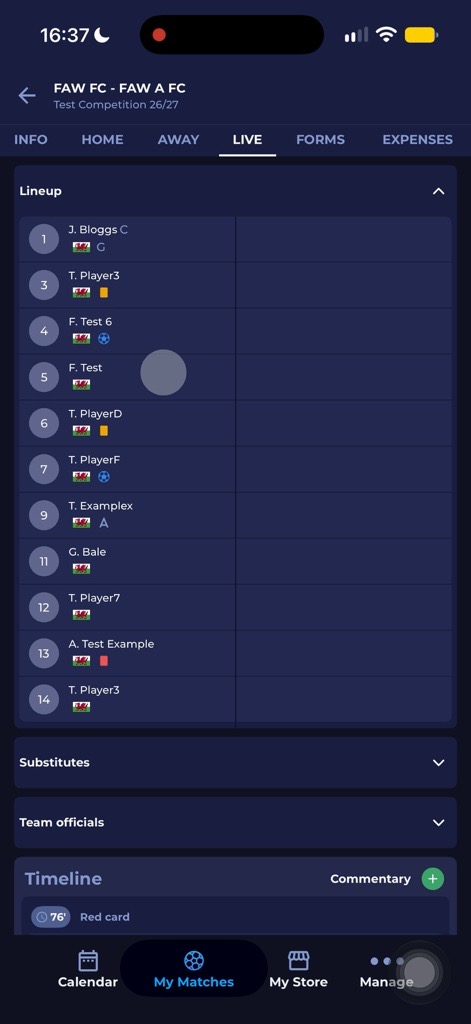
Users will notice a new "Live" tab within fixtures on the COMET App. This is now the area where all match events should be recorded. Selecting the 'Live' tab will display the line-ups for both teams. From here, users can simply select the relevant player from the team and add the required match event directly.
1. Locate the relevant fixture and select the 'Live' tab
2. Press the player from your team that requires a match event adding
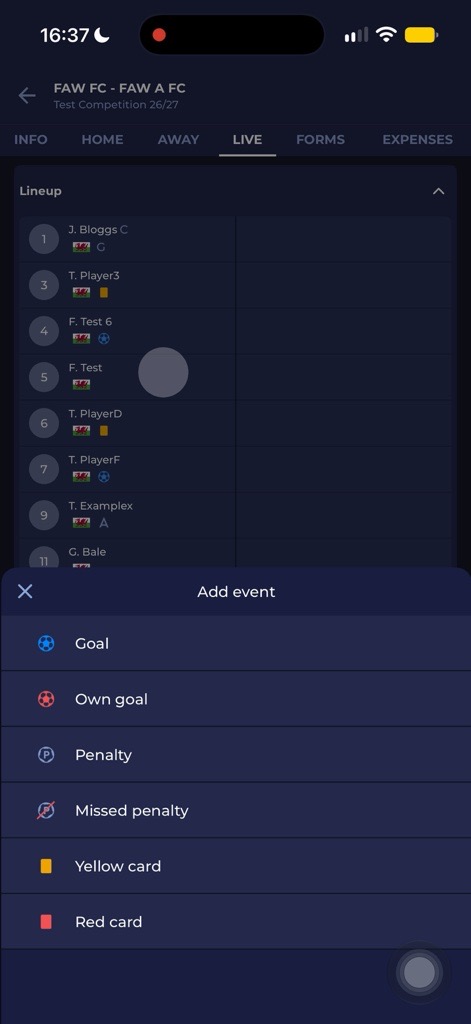
3. Select the match event to be added.
Please also see the below link and attachment to watch a video on how to add match events to players, including goals, substitutions and other in-match actions on the COMET Football Mobile App.
Was this article helpful?
That’s Great!
Thank you for your feedback
Sorry! We couldn't be helpful
Thank you for your feedback
Feedback sent
We appreciate your effort and will try to fix the article